List on BUYMA,
starting with SELLIER
AI writes your Japanese title and description for you, and one bookmarklet click fills out the entire BUYMA listing form. From photo collages to margin calculations — everything you need to list is handled on one screen.
No card required — start your free trial right away.Everything runs automatically
AI Japanese copywriting
Just enter the basics in English — product name, description, color, size — and get natural Japanese copy tailored for BUYMA buyers.
Bookmarklet form-fill
Register one bookmarklet, and a single click on the BUYMA listing page fills in the title, price, category, and photos.


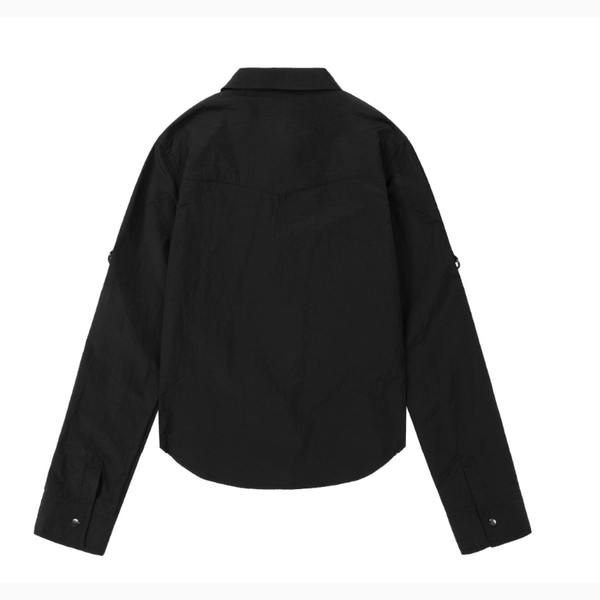
Collage & background removal
Automatically arrange multiple photos into an 800×800 collage, with instant background-removal previews as you edit.
Margin & reference price calculator
Factor in exchange rates, fees, and shipping to get a recommended sale price and reference price, filled in with one click.
AI try-on shot generation
Keep the garment exactly as photographed while AI generates a model wearing it — choose a mood (lookbook, studio, street) to match.
Automatic sales ledger
Enter just the sale price and fees, customs, and VAT refunds are factored in automatically. Calendar view and Excel export included.
BUYMA market price search
Search what the same item is currently selling for on BUYMA and compare instantly against your calculator's recommended price.
Write the basics in English — AI writes the Japanese copy
Product name, color, material, size notes — jot them down in English and get natural Japanese copy written for BUYMA buyers, matched to your brand tone with commonly used sales phrasing.
One bookmarklet click fills the entire BUYMA form
Register the bookmarklet once in your browser. Click it on the BUYMA listing page and SELLIER fills in the title, price, category, and photos in order — no typing, no copy-pasting.
Tidy photos and remove backgrounds in a few clicks
Automatically arrange multiple product photos into a clean 800×800 collage. Preview the background-removed cutout instantly and toggle it on or off.
A recommended price factoring in FX and fees, one click away
Enter your cost and get a recommended sale price instantly, factoring in live exchange rates, fees, and margin. Reference prices round to the nearest ¥100, and your usual margin rate applies with one click.
One product photo, and AI generates the try-on shot
The garment's shape, color, and details stay exactly as photographed while AI generates a model wearing it. Choose a mood — Pinterest lookbook, studio, street snap, or minimal editorial — and optionally reference a Pinterest pin.
Enter the sale price, and your sales ledger completes itself
Enter just the sale price (¥) and revenue and margin are calculated automatically, factoring in FX, fees, customs, and VAT refunds. Pull in BUYMA orders with the bookmarklet and each one lands as a new row, with calendar view and Excel export built in.
See what your item is selling for on BUYMA right now
Search BUYMA for the same item to pull its current sale and reference price. It flows straight into the margin calculator's "current price" field, so you can compare your margin against the market in real time while you set your price.
Just 3 steps
Paste the link
Paste the product page URL and photos, description, and price are pulled in automatically.
Polish with AI
Generate the Japanese title and description, then edit your photo collage — all on one screen.
Click the form-fill button
One click on the bookmarklet from the BUYMA listing page, and you're done.
Start with just what you need
- Unlimited listings
- AI API key included
- Unlimited AI copy generation
- AI try-on shot generation included
- BUYMA market price search included
- Ledger calendar view & Excel export included
- Priority support
- Unlimited listings
- AI API key included
- Unlimited AI copy generation
- AI try-on shot generation included
- BUYMA market price search included
- Ledger calendar view & Excel export included
- Priority support
Annual pricing is billed once a year (monthly billing is also available). Your first 3 listings are free to try.
See full pricing →Try it free right now
Sign up with no card and try your first 3 listings free right away.
Start for free